
Controlling Motorized Shades: Remote, App, and Voice
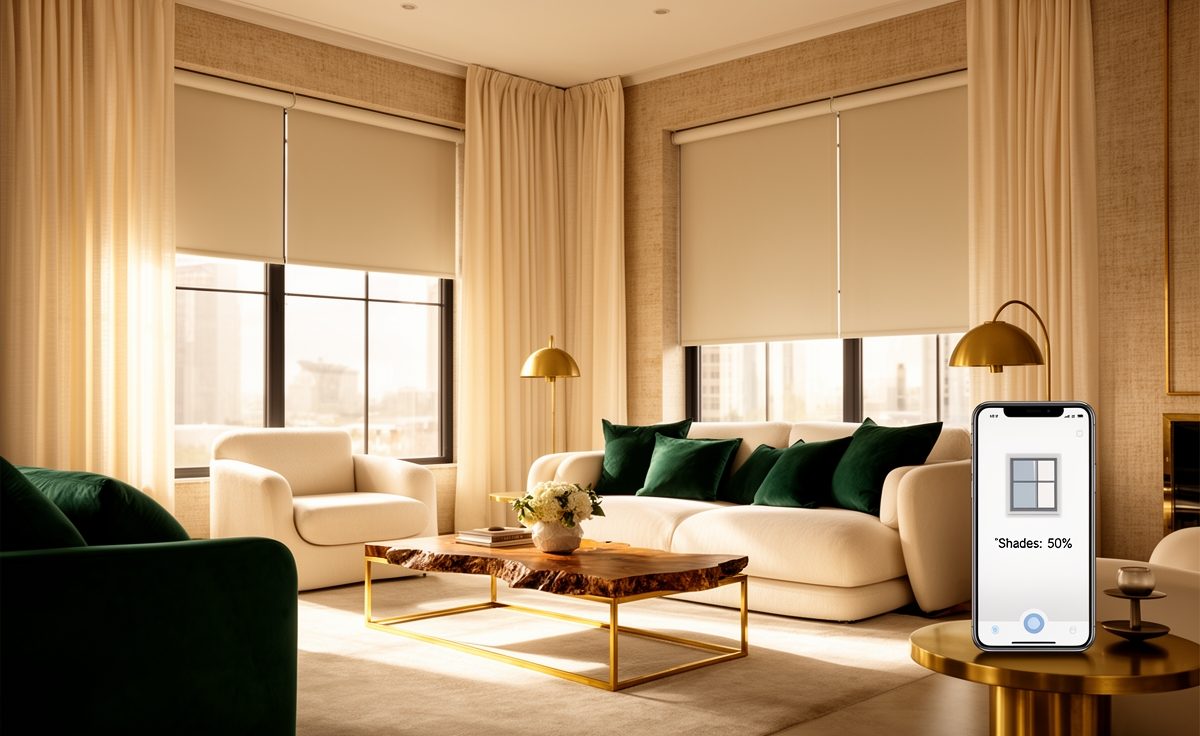
One of the best things about motorized shades is how many easy ways there are to control them. From a simple remote to voice commands, you choose what fits your life. Here is a rundown of the control options for motorized shades and what each one offers.
The remote: simple and reliable
Every motorized shade system comes with a physical remote, the simplest control method. Press a button to raise, lower, or tilt a shade or a group of shades, no phone or setup required. For anyone who wants easy, reliable control without technology fuss, the remote alone is enough, and it is always there as a backup even if you add smarter controls.
The app: control from anywhere
Adding the manufacturer app, like the Hunter Douglas PowerView app, unlocks control from your smartphone anywhere in the house, or away from home. Adjust any shade or room from your phone, check their status, and set up the scenes and schedules below. The app turns your shades into a system you manage from your pocket, which is especially handy for many windows.
Voice control
Connect your shades to Amazon Alexa, Google Assistant, or Apple Siri and you can control them by voice, close the living room shades, open the bedroom, all hands-free. Voice is wonderful for convenience and accessibility, and it folds your shades into whole-home voice routines alongside your lights and thermostat. Once you have it, speaking to your shades feels natural fast.
Scenes and schedules
The real magic is automation. Scenes let you set saved shade positions with one tap or command, a Movie scene, a Good Morning scene. Schedules run shades automatically by time or the local sun, lowering them against the hot afternoon and raising them in the morning. Set once, and your shades manage themselves, effortless comfort and energy savings.
Choose the control that fits you
You can use one method or all of them, remote for simplicity, app for flexibility, voice for convenience, scenes and schedules for automation. At your free estimate we will show you the controls in person so you can pick what fits your home, with free measuring and installation. Call or text (832) 772-7137.
Ready for a free in-home estimate?
We’ll measure, recommend the right options for your home, and give you an honest quote, with free installation included. Already know your sizes? Order online and we’ll send a free quote within 24 to 48 hours.
 How Much Do Blinds, Shutters & Shades Cost in Houston? (2026 Guide)
 Blinds vs. Shades vs. Shutters: Which Is Right for Your Home?
 Child-Safe & Cordless Window Coverings: What Parents Need to Know